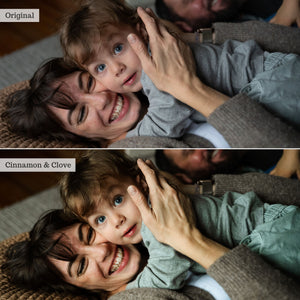
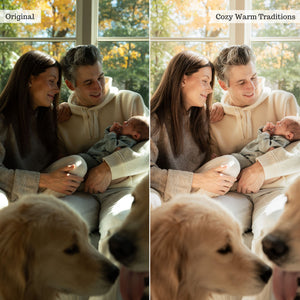
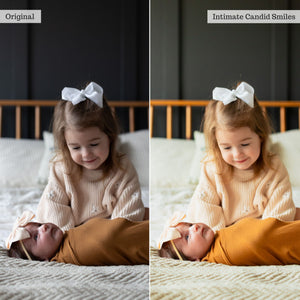
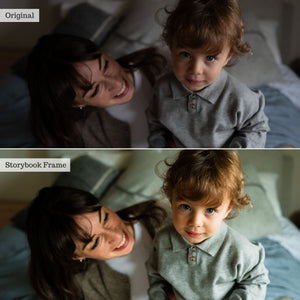
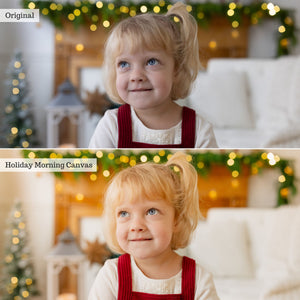
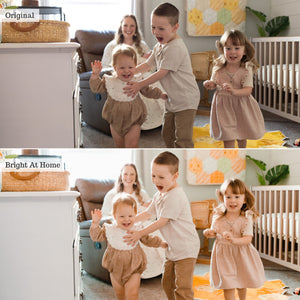
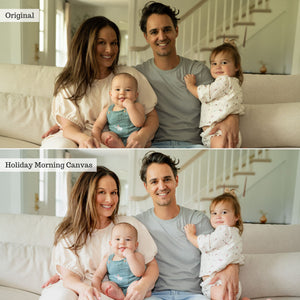
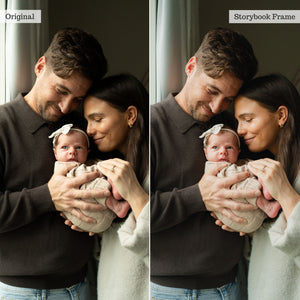
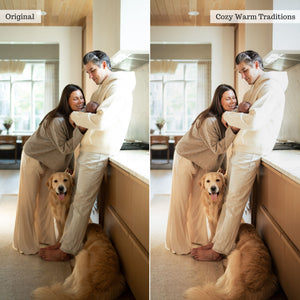
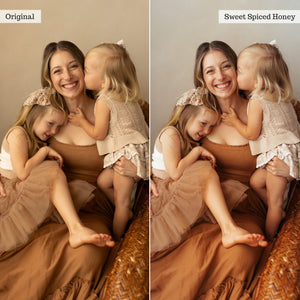
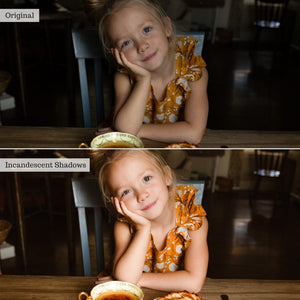
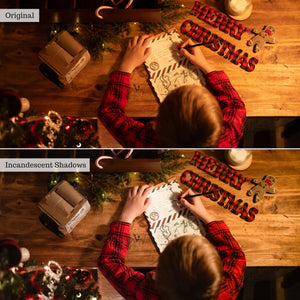
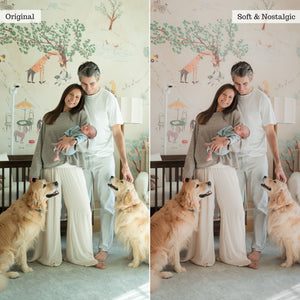
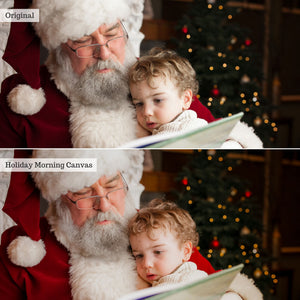
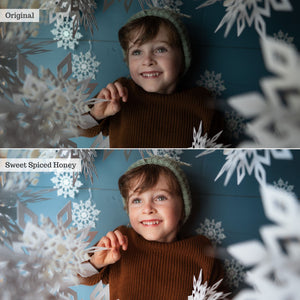
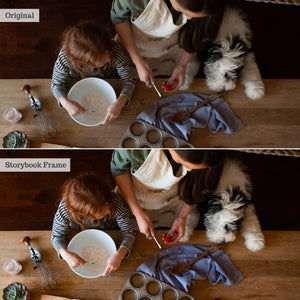
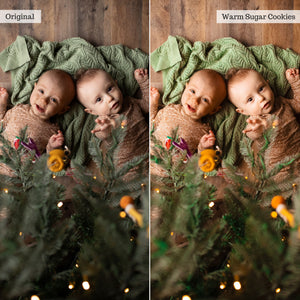
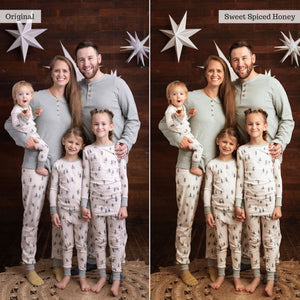
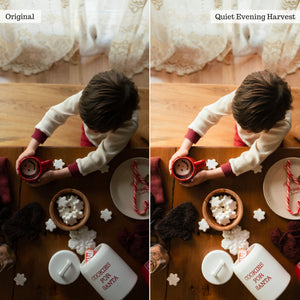
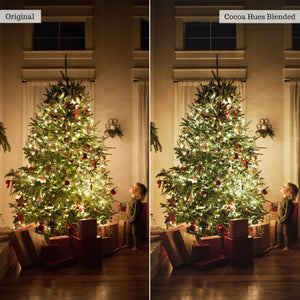
As seasons and trends shift, indoor family and lifestyle sessions are in high demand, yet indoor lighting remains one of the hardest environments to edit. Luxe Indoor Family & Newborn is engineered to turn tricky room light, harsh shadows, and ambient color casts into clean, luminous, gallery-ready portraits.
Whether your subjects are bathed in natural window sun, warm lamplit glow, off-camera flash, or unpredictable mixed ambient light, you deserve indoor edits you’ll be proud to share! This collection pairs versatile global looks with targeted AI retouching tools fine-tuned to flatter authentic personalities, soft baby skin, and cozy, real-feel moods across every home setting.
Build your edit with 33 global presets thoughtfully tuned for lighting balance, gentle color accuracy, built-in lift, and modern editorial flair. Engineered with subtle noise reduction to keep low-light room captures clean and smooth, the collection includes timeless clean pro looks, rich cozy finishes, and 5 brand-new, newborn-specific global presets designed to handle delicate baby skin, soft swaddles, and intimate lifestyle details.
Layer 31 localized color, light, and AI-powered adaptive tools over your chosen preset to effortlessly balance, lift, and sculpt images captured in tricky light. Use "Brighten Up" tools and instant white balance corrections to establish a clean starting point, then fine-tune subtle color shifts across living rooms, cozy nursery setups, holiday gatherings, and styled studio environments.
Skip feeling deflated over color-casty crib captures, shadow-heavy room snaps, or dull couch portraits.
This expanded offering introduces 3 specialized newborn AI retouch tools: Newborn Eye + Lip Enhance, Skin Milky, and Skin Repair—allowing you to soothe red or flaky baby skin, brighten tiny features, refine delicate skin texture, and balance indoor light without flattening natural dimension or spending hours in Photoshop.
Lightroom Classic users receive 20 targeted Local Adjustment Brushes for precise, hands-on enhancements. From fine-tuning exposure and recoverability with dedicated shadow lifters, highlight boosters, and noise reducers, to softening distracting color casts in reds, oranges, or greens, you have complete control over every inch of your frame. Instantly apply custom dodge & burn, adjust room temperature, refine clarity, or add subtle dark and light vignettes to draw focus straight to your subjects. A comprehensive PDF User Guide is also included to walk you through installation, workflow tips, and best practices for editing indoor light.
Don’t wait ‘til spring for images that sing! Get looks that last, with Luxe Indoor Family & Newborn.
Luxe Indoor Family & Newborn is offered in XMP format for up-to-date subscription versions of Lightroom (CC), Lightroom Classic, Photoshop's Adobe Camera Raw, and the paid version of Lightroom Mobile. AI feature compatibility depends on your application, version, and device; be sure to check compatibility details prior to purchase.
ⓘAI-powered adaptive presets and tools require compatible desktop software (Lightroom Desktop, Lightroom Classic, or Adobe Camera Raw) or the Premium paid Lightroom app on compatible iOS or Android mobile devices. Local Adjustment Brushes are designed specifically for Lightroom Classic on desktop.
For a closer look at the tools and how to use them, explore the full PDF guide.
Learn more about
software compatibility or
visit our help center for more information.