


Easy to Use for great results
"Didn't it could save me So much time. And Nice support :hands_heart_light_skin_tone:"






Lightroom Classic 15+

Lightroom 9+

Photoshop 27+

LR Mobile (Premium)
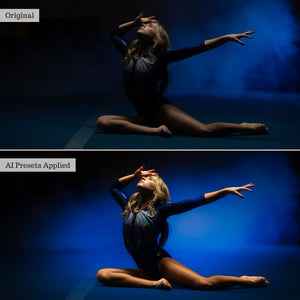
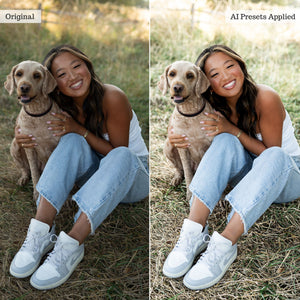
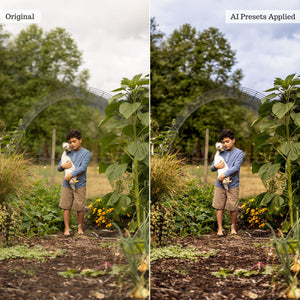
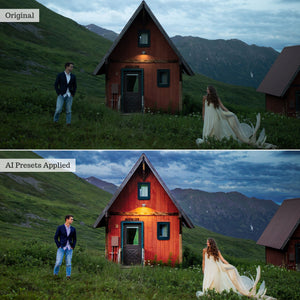
Your subjects change. Your retouching toolkit should keep up. Bring the power of AI to portraits, weddings, landscapes, wildlife, and sports with six complementary Luxe collections in one bundle.
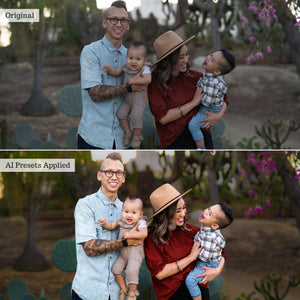
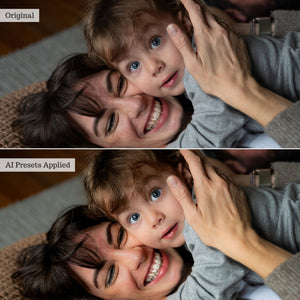
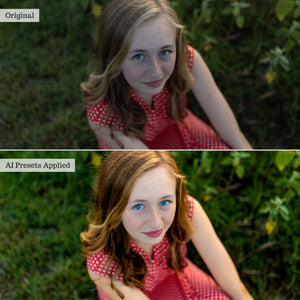
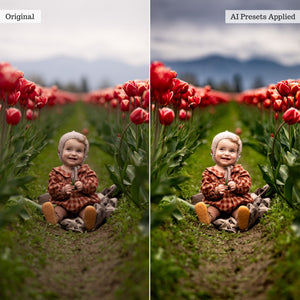
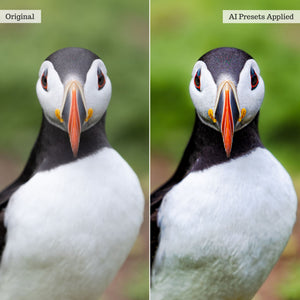
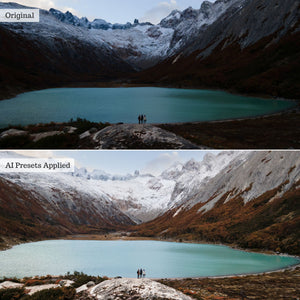
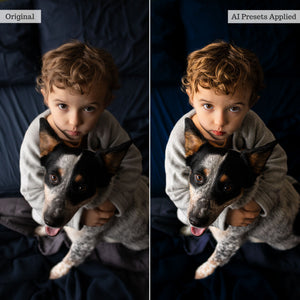
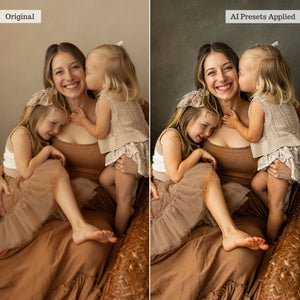
The Luxe AI Retouch Toolkit Bundle combines expert editing settings with Adobe's AI detection to simplify detailed, localized adjustments. Refine skin, bring attention to eyes, enhance a sky, or adjust a subject independently from the surrounding scene—all from your presets panel.
From polishing a close-up portrait to refining an outdoor action shot, choose the collection suited to your image and apply targeted tools that help you reach your finished edit faster.
Build a versatile editing workflow with tools for everyday corrections and specialized subjects. This bundle includes:
AI adaptive presets use Adobe's AI detection to identify specific areas of your photograph and apply retouching settings locally. Depending on the preset and your software's capabilities, these selections can include backgrounds, skies, subjects, and individual features such as face skin, body skin, eyebrows, irises and pupils, lips, teeth, and hair.
Settings you would otherwise apply manually with a local adjustment brush or sliders become accessible through a preset. Choose the adjustment you need, let AI identify the relevant area, and fine-tune the result to suit your image.
This targeted approach lets you give different parts of a photograph different treatment—refining skin without applying the same settings to clothing or enhancing a background independently from your subject.
Software compatibility: Supplied in XMP format for up-to-date subscription versions of Lightroom (CC), Lightroom Classic (15+), and Photoshop Adobe Camera Raw for desktop. Also compatible with the Premium (paid) Lightroom Mobile app for Android and newer iOS devices. Available AI features vary by software version and device. Please check full software compatibility before purchasing.
Important note on adaptive profiles: The adaptive profiles included with Quick Fix 2026 require RAW image data and will not work with JPG, PNG, or TIF files. Global Quick Prep presets are included as alternatives for JPG and mobile workflows. Lightroom on iOS does not support direct profile import; import through desktop or Android is required before syncing to iOS.
Guides and example workflows: Explore the collection-specific guides to learn how to use your presets and AI tools:
The collection
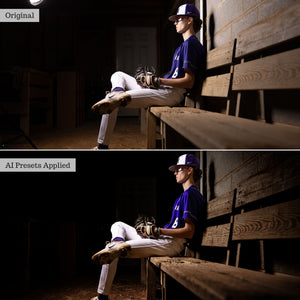
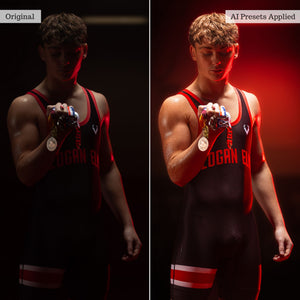
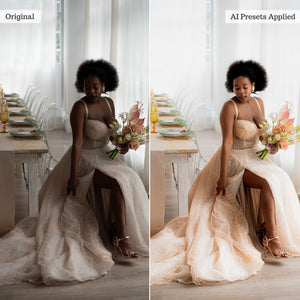
See it in action
Explore what's included and see the tools at work.
From the community


Reviews
Overall rating: 4.9210525 / 5 from 38 reviews.
Review topics: ["look","results","customer service","presets","tools","collection","photos","bundle"].
"Didn't it could save me So much time. And Nice support :hands_heart_light_skin_tone:"
"Been able to use my Luze presets purchased few years back and were able to stack and use the latest Luxe AI tools. my workflow got easier because of the tools. I only wish my computer is faster so I can maximize it's use lightning fast. Overall, I am super satisfied. Truly, you will be satisfied with the quick AI tools/presets."
"I was curious to see how this would help my workfow and it took a little time to become familiar with all the options, but now that I have a pretty good idea, it’s taken my shots to the next level. Thank you!"
"It was everything I thought it would be!"
"awesome job at creating the AI Presets! I was very impressed with how each worked!"
"Early days & still lots to try out but so far satisfactory results"
"Looks great! Works amazing!"
"Great options that allow for smaller adjustments in half the time. Easy to install and use."
"The presets are interesting and fun."
"When I was finished touching up a photo it turned out amazing"