


Just what I wanted
"Just what I needed"










Photoshop 27+

Lightroom 9+

Lightroom Classic 15+

Lightroom Mobile
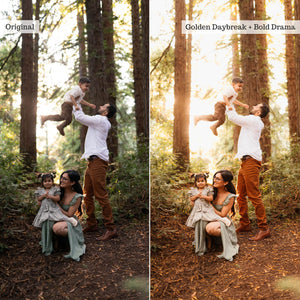
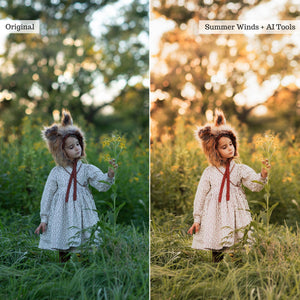
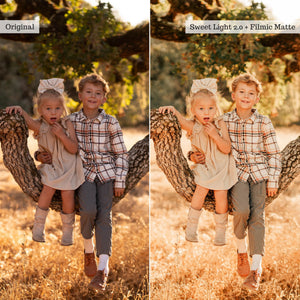
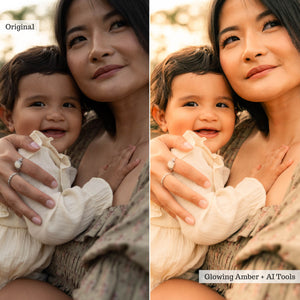
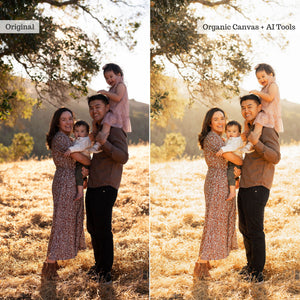
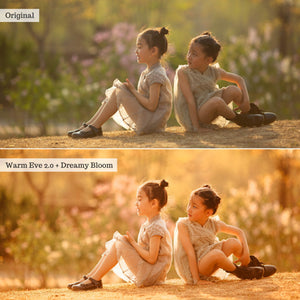
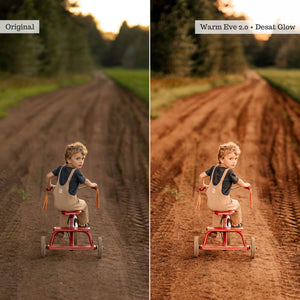
Chase every phase of evening light. Golden Hour 2.0 gives you the looks and tools to transform shifting natural light into warm, luminous, and atmospheric edits.
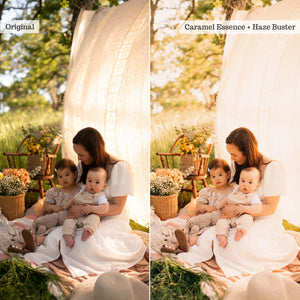
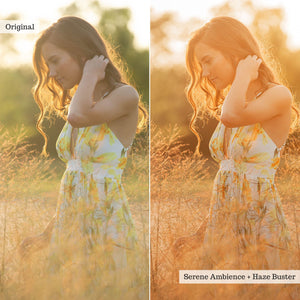
Completely reimagined for the modern photographer, this collection pairs brand-new creative looks with polished reinventions of Golden Hour favorites. Dedicated dehazed variations help rescue backlit and low-contrast photographs, while global presets carry your images from glowing amber sunlight into the moody, ethereal tones of blue hour.
Use the collection for a finished look in a single click or build a more personalized edit with stackable tools, targeted effects, adaptive profiles, and local adjustment brushes.
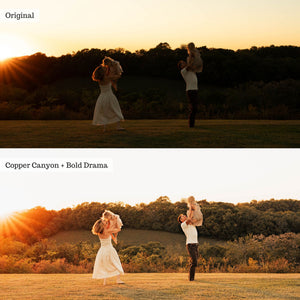
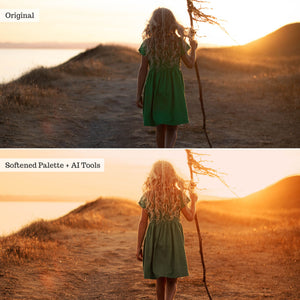
Start with the look. Choose from 28 global presets designed around the changing colors, contrast, and atmosphere of golden hour, sunset, dusk, and blue hour. Move between clean warmth, softened pastels, burnished earth tones, glowing highlights, and deeper cinematic finishes.
Create the light. Add or enhance directional sunlight with 18 Sun Glow and Sunset Effect presets. Select the position and character of the light to create anything from a soft ambient glow to a more defined sunset effect.
Refine the scene. A 24-piece toolkit includes global and AI adaptive tools for adjusting warmth, daylight, curves, backgrounds, highlights, subjects, and washed-out details. Use them to correct difficult lighting or add another creative layer to your finished look.
Eight adaptive profiles provide an optional starting point for RAW editing. Use them to adjust the intensity and underlying character of an image, address challenging light, and help preserve natural skin tones and clean whites before applying your presets.
For more hands-on control, 28 Local Adjustment Brushes bring many of the collection's corrective and creative tools into Lightroom Classic. Apply targeted color, light, detail, saturation, sharpening, vignette, and subject adjustments exactly where you want them.
A 42-page PDF Use & Recipe Guide is included to help you understand the collection and combine its presets and tools into a complete Golden Hour workflow.
Golden Hour 2.0 is supplied for compatible versions of Lightroom, Lightroom Classic, Photoshop's Adobe Camera Raw, and Lightroom Mobile. Available features depend on your application, subscription, device, and file type. Please check full software compatibility before purchasing.
Mobile and brush compatibility: AI and Effects Tool presets require the Premium paid version of Lightroom Mobile. Local Adjustment Brushes are available only in Lightroom Classic for desktop.
ⓘ Adaptive profiles require RAW image data to function. They do not work with JPG, PNG, or TIF images. The Lightroom app on iOS does not support direct profile import (desktop/Android required for profile sync).
The adaptive profiles are optional tools; the core Golden Hour 2.0 workflow does not depend on them.
The collection
See it in action
Explore what's included and see the tools at work.
Reviews
Overall rating: 5.0 / 5 from 2 reviews.
Review topics: [].
"Just what I needed"
"I’ve been using the same presets for forever and a day and as a creature of habit never really felt like deviating was worth exploring. Then these Golden Hour presets entered the scene and to say I am obsessed is an understatement. Bronze wash has swept me away and the tools are next level glow up—literally! We live in a cooler climate and I’m just starting to get back outside with my camera and I can’t wait to see what all these presets can do this summer!"